
How the Racing Kit Works
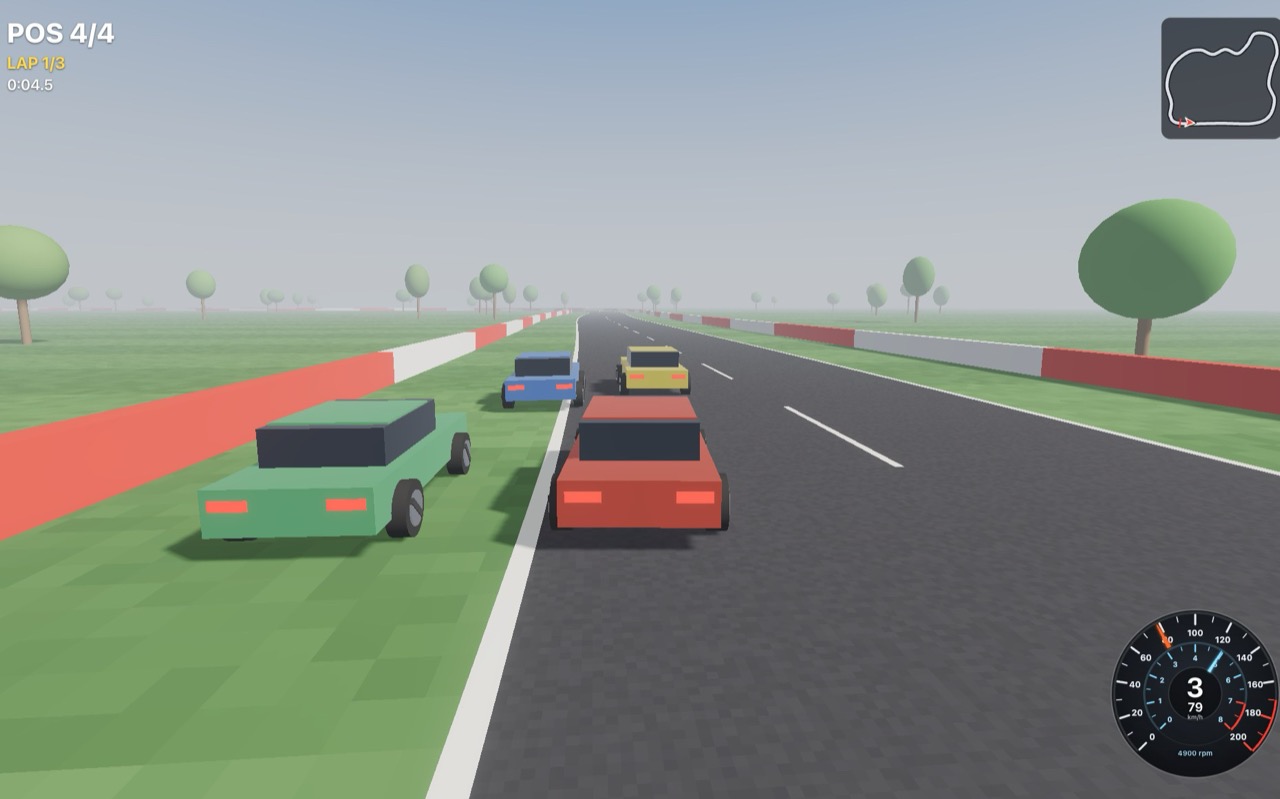
The Racing Kit is a store package: a car you drive, AI cars that race you, a race to run them in, and the sound of all of it. This page takes it apart, so you can tune the cars, build a track of your own, or take the parts into another game.
What you will learn
- How a car is made from a body, four springs and four tyres, all in one script, and how a separate driver script drives it.
- Which settings change how it accelerates, brakes, steers and slides.
- How the AI works out a racing line and how fast to take each corner.
- How the race counts laps and positions, and how the HUD shows them.
- How the engine and tyre sound is made while you drive, or made from your own recordings.
Before you start
- Get Racing Kit from the Asset Store. When the editor offers its scenes, choose Open scene (they are also in Assets > Scenes as Racing Kit Race and Racing Kit Test Ground).
- Press Play and click the game view, then drive with any of:
- Keyboard: W or Up is the throttle; S or Down brakes, then reverses; A and D, or Left and Right, steer; Space is the handbrake; R puts the car back on its wheels.
- Game pad: the right trigger is the throttle and the left the brake and reverse, both as far as they are pressed; the left stick or the d-pad steers; A (Cross) is the handbrake and Y (Triangle) puts the car back on its wheels.
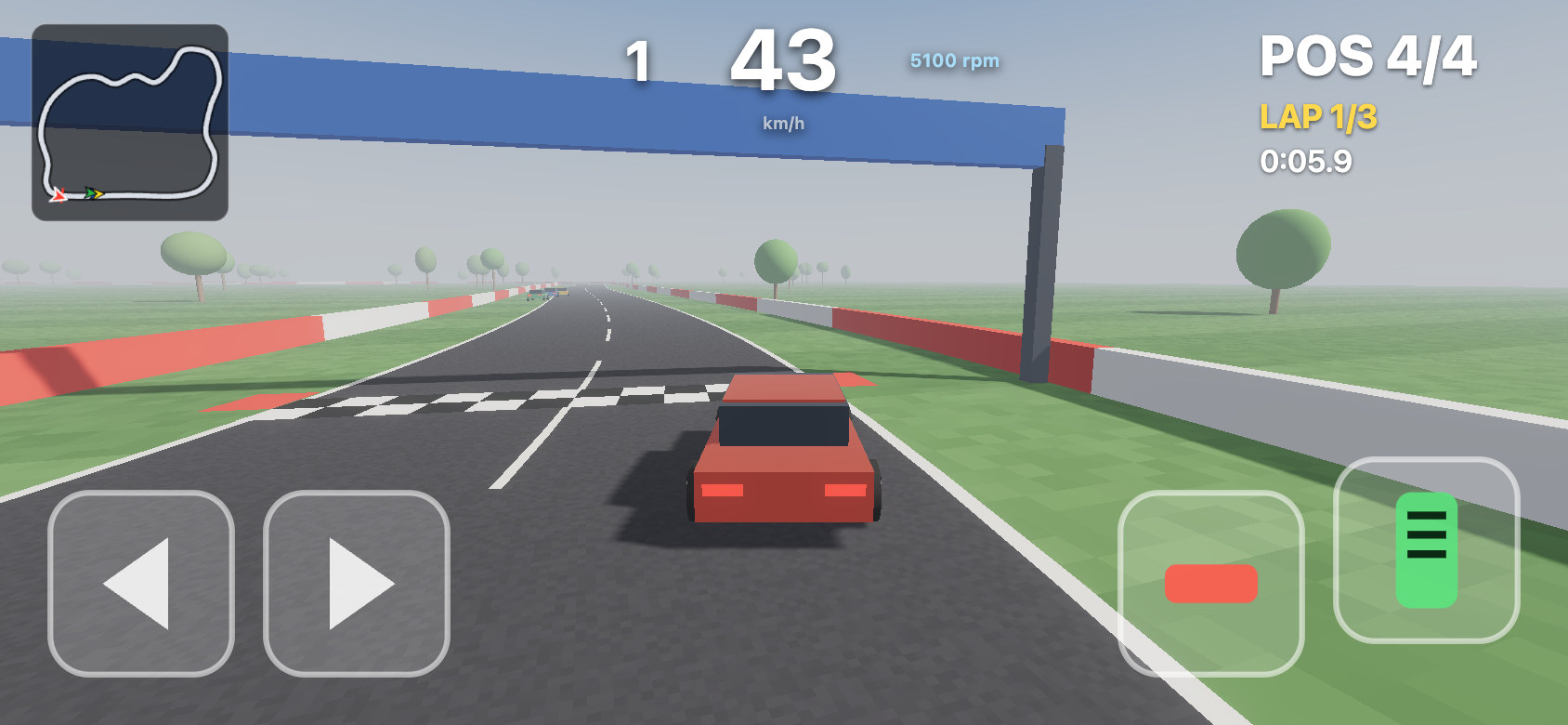
- Phone: the on-screen pedals appear the first time you touch the screen. Steer with the left thumb, gas and brake with the right. The HUD moves out of their way: the gauge becomes digits at the top centre, the gear and revs either side of the speed, the minimap shrinks into the top left and the position, lap and time move to the top right.
Importing the package turned on File ▸ Project Settings… ▸ Physics ▸ Fixed clock. The cars push their bodies in onFixedUpdate, once per physics step; with physics stepped once a frame instead, a frame with two fixed steps pushes twice before the body moves and a frame with none pushes not at all, and the springs shake. Leave it on in a project that uses the cars.
What is in the package
| Asset | What it is |
|---|---|
| Race Car (prefab) | A car you drive from the keyboard: body, cabin, four wheels, brake lights, and the Player Driver, Car Controller and Car Audio scripts. |
| AI Race Car (prefab) | The same car with AI Driver in place of Player Driver. Set its path to your track. |
| Speedometer (prefab) | One gauge: the speed round the outside (0 to 200 km/h), the revs inside (for a 7000 redline), the gear in the middle and the speed and revs in digits. Set its car. |
| Race HUD (prefab) | The race's text: position, lap, time and best lap (in Race Standings, which moves to the top right on a phone) and the banner (see The race). |
| Touch Controls (prefab) | The on-screen pedals for a phone: Touch Left, Touch Right, Touch Brake and Touch Gas, hidden until Player Driver shows them. |
| Racing Kit Race (scene) | A 1.3 km circuit with walls, kerbs, a start gantry, three AI cars, the race and its HUD. |
| Racing Kit Test Ground (scene) | A skid pad, ramps, bumps, a slalom and a wall to drive into. |
| Car Controller | The car: suspension, tyres, engine, gearbox, brakes, steering, assists, brake lights, wheels. It does not drive itself. |
| Player Driver | Drives the car from the keyboard, a game pad or the Touch Controls. |
| Track Surface | On the ground that is not road (the kerbs, the grass): its grip, drag and tyre sound, for every car. |
| Car Audio | Its sound: engine, tyres, wind. |
| AI Driver | Drives a car round a Path. |
| Racing Kit | A library: what the scripts share (see How the scripts talk), the gearbox and rotation helpers. |
| Racing Kit Path | A library: the track's line, its racing line and the speed to take it at. |
| Racing Kit Synths | A library: the engine and road sound models. |
| Race Manager | The countdown, laps, positions and the HUD's text. |
| Chase Camera, Speedometer, Minimap | A camera on a spring arm behind the car, the gauge and its digits, the map. |
| Touch Layout | Where a UI element goes on a touch screen. On the minimap and Race Standings. |
Who drives
The Car Controller is the car only. Who drives it is a separate script on the same object, which sets the car's controls every fixed step. Put the driver above the Car Controller in the Script component: scripts run in that order, so the car then uses this step's controls rather than the last step's (16.7 ms late).
| Control | Range | Meaning |
|---|---|---|
throttle | -1–1 | The engine. Negative drives backwards, up to the car's reverseSpeed. |
brake | 0–1 | All four brakes. |
steer | -1–1 | A share of the lock the car has at its speed (right is positive). |
steerAngle | radians | An exact wheel angle instead of steer, still held to the car's lock. |
hand | true / false | The handbrake: locks the rear wheels. |
- Player Driver reads the keyboard, the first game pad and the Touch Controls, and the strongest input wins. One pedal per direction: S (or the left trigger, or the brake pedal) brakes while the car still rolls forward, and once it has stopped, reverses. R or Y puts the car back on its wheels (
resetKey). ItstouchControlssetting isauto(the pedals appear the first time a finger touches the screen, so a desktop never shows them),always(to try them with a mouse) oroff;stickDeadzoneis how far the stick moves before it steers. See Input forapi.input.touchesand game pads. - AI Driver drives round a Path (see The AI).
Swap one for the other in the car's Script component to change who drives it. To drive a car some other way (a network player, a replay), write a script that sets those controls; with no driver, the car sits still.
ts
// A driver of your own: full throttle, steering toward a target object.
import { kit, rotate } from "Racing Kit";

export default class implements ScriptBehavior {
  target: Entity;
  onFixedUpdate(api: ScriptApi) {
    const p = api.getPosition(), t = api.getPositionOf(this.target), q = api.getRotationOf(api.entity);
    if (!t || !q) return;
    const right = rotate(q, 1, 0, 0); // the car's right: a positive dot means the target is to the right
    const side = (t.x - p.x) * right.x + (t.z - p.z) * right.z;
    kit(api).controls[api.entity] = { throttle: 1, brake: 0, steer: Math.max(-1, Math.min(1, side / 5)), hand: false };
  }
  onDestroy(api: ScriptApi) { delete kit(api).controls[api.entity]; }
}
How the scripts talk
The kit's scripts share one object, kit(api) from the Racing Kit library (it lives in api.state.racingKit, so the game's own api.state keys are never touched):
| Part | Written by | Read by |
|---|---|---|
controls[car] | the car's driver | Car Controller |
cars[car] | Car Controller, every step: speed, wheel speed, pedals, how hard the tyres slide, how many wheels are on kerb, grass and the ground, top speed, wheelbase, gear, revs, idle, redline | drivers, Car Audio, Speedometer, Race Manager, your HUD |
surfaces[object] | Track Surface | Car Controller |
hold, pace | Race Manager | Car Controller, AI Driver |
lines | Racing Kit Path | AI Driver, Race Manager |
touch | touchScreen(api), the first time a finger touches the screen; Player Driver when it shows the pedals | Speedometer, Touch Layout, your HUD |
Each script removes its own entry when its object goes. A scene load reuses object numbers, so an entry left behind would describe the wrong object in the next scene. A script of your own that writes into kit(api) should do the same in its onDestroy.
The three libraries are imported by name, so keep their names, and keep other scripts in the project from having the same names (an import with two candidates does not compile).
The car
The car is one dynamic RigidBody (1200 kg, its centre of mass 38 cm below the middle so it does not roll over easily) with box colliders for its body and cabin. The wheels are only pictures: they have no colliders and no bodies. Everything a wheel does, the Car Controller works out and applies as forces to the body, every fixed step:
Suspension
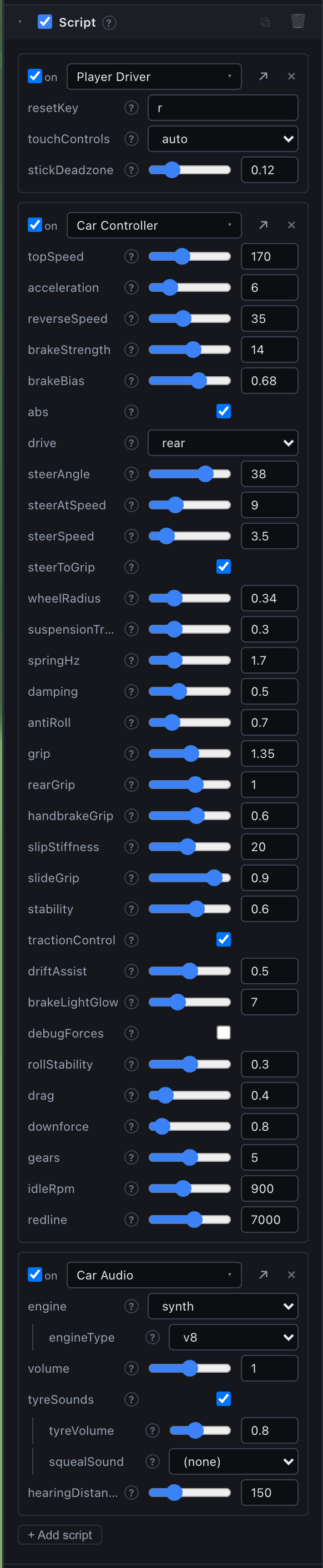
Each wheel casts a ray down from the top of its spring, suspensionTravel + wheelRadius long. Where it hits, the spring is compressed by however much shorter the ray is, and pushes the body up at that corner with a spring and a damper. The spring is set by its natural frequency rather than a stiffness: springHz 1.7 is a road car (stiffer is a race car, softer floats), and damping 0.5 is half of critical damping, which settles a bump in about one bounce. antiRoll 0.7 pulls the two springs of an axle toward the same compression, so the car leans less in a corner.
The ray hits whatever it hits, so the car drives on any collider: terrain, a mesh, a box. What it hits sets the surface (see Surfaces).
Tyres
A tyre grips sideways in proportion to how far it is sliding sideways (its slide angle), up to a peak, then less: past the peak it is sliding. The curve's steepness is slipStiffness (20) and how much grip is left in a full slide is slideGrip (0.9 of the peak). The most a tyre can grip is grip (1.35) times the weight on it, which the spring just measured. With rollStability at 0.3 the tyre forces act close to the centre of mass, so little weight moves between the wheels: in the kit's own drive tests the body leans and pitches less than 1° in hard corners and full braking, far less than a real car. That keeps the car predictable; lower rollStability toward 0 for more weight transfer and more lean. rearGrip scales the rear tyres: below 1 the tail steps out more easily.
Along the tyre: the engine pushes the driven wheels (drive: front, rear or all) with acceleration (6 m/s²), fading to nothing at topSpeed (170 km/h). With the air's drag the default car reaches 100 km/h in about 5.4 s and tops out at about 160 km/h. The brakes stop all four, brakeBias (0.68) of the effort on the front axle, and with abs on never harder than the tyre can grip, so it still steers while braking. The handbrake locks the rear wheels: a locked tyre slides, its friction straight against the way it is going, at handbrakeGrip (0.6) of normal.
Then the friction circle: a tyre cannot both corner and brake at full grip. When the two together ask for more than it has, both are scaled down, and a driven wheel spins.
Every setting is read live, so you can tune the car in the Inspector while it drives.
Surfaces
What the ground is like to drive on belongs to the ground, the same for every car. Put a Track Surface script on it:
| Field | Default | Meaning |
|---|---|---|
grip | 1 | The tyres' grip here, relative to road: about 0.85 a painted kerb, 0.55 grass, 0.15 ice. |
drag | 0 | Soft ground holding the wheels back, as a share of the weight on them: 0.12 grass, 0.3 sand. |
sound | road | What the tyres sound like on it (Car Audio): road (roar, and a squeal when they slide), kerb (a buzz), grass (a rumble, for any rough ground; tyres do not squeal on it). |
A wheel uses the Track Surface on the object its ray hit, or on the nearest object that one is part of, so one script on a parent covers its children. Ground without one drives like road. What differs from car to car, its tyres, stays on the car: the Car Controller's grip multiplies the surface's. In Racing Kit Race the Kerbs have grip 0.85 and sound kerb, the Ground has grip 0.55, drag 0.12 and sound grass, and the Road has none.
Steering and assists
The wheels turn toward the keys at steerSpeed, with steerAngle (38°) of lock at a standstill falling to steerAtSpeed (9°) at top speed. steerToGrip caps the lock at what the tyres can use at this speed: turning further only slides.
stability(0.6): if the car turns faster than the steering asks (the tail stepping out), part of the extra turn is taken away each step. It only ever takes turn away, so it cannot help a car that turns too little, and it stands aside while the handbrake is held, so a drift can start.tractionControl: the engine only gets the grip a tyre has left after cornering, so full throttle in a bend keeps the tail in line.driftAssist(0.5): of any slide past 6°, half is added to the steering, so the front wheels point where the car is going and a slide is easy to catch. (Every car cornering slides a few degrees; counter-steering that would push it wide in every bend.)rollStability(0.3): the tyres push a little above the road, toward the body's middle, so a hard slide leans the car less.
Seeing it work
Tick Physics debug in the Game view (or press F4) while playing, and tick the Car Controller's debugForces (off by default). Each suspension ray is drawn (green on the ground), each spring's force (blue, up from the contact patch), each tyre's force (red, along the road) and the car's velocity (white, over the roof).
The AI
The AI Driver drives the Car Controller on its car through kit(api).controls: throttle, brake and a wheel angle (steerAngle), each fixed step. Its car's wheelbase and top speed come from the Car Controller. With no path it says so once in the Console and the car sits still.
- The line. The track is a Path object (see Paths) whose children are points round the road's centre. Racing Kit Path samples it as a closed curve, a point about every metre, then pulls a racing line across the road's width, like a rubber band pulled tight between the edges: wide into a corner, clipping the inside at the apex, wide on the way out. It stays
roadHalfWidth−edgeMarginfrom the centre. Every AI on a track shares this line, eachlineOffsetmetres to the side of it. TickdrawRacingLineto see it in magenta with Physics debug on. - The speed. For every point of the line, the fastest speed its bend allows at
cornerGripm/s² sideways, then a pass backwards round the loop that brakes for each corner atbrakeDecelm/s², so the braking reaches back down the straight before it. - Steering. Pure pursuit: it aims at a point further along the line,
lookAheadmetres pluslookPerSpeedmetres per m/s of speed, and turns the wheels to arc onto it. - Traffic. A car within 14 m in front and no more than 1 m/s faster: it moves 2.2 m to the side that car is not on, for 1.2 s.
- Trouble. Pushing but not moving (a wall, a post) for 1.5 s, it feels which front corner is blocked and backs out the other way; stuck 3 times in 15 s, or on its roof for 1.5 s, it is put back on the line.
skill (1 at the limit, 0.8 careful) scales its corner speeds and braking. The Race Manager's aiPace scales every AI's skill at once: 0.85 easy, 1 normal, 1.1 hard.
The race
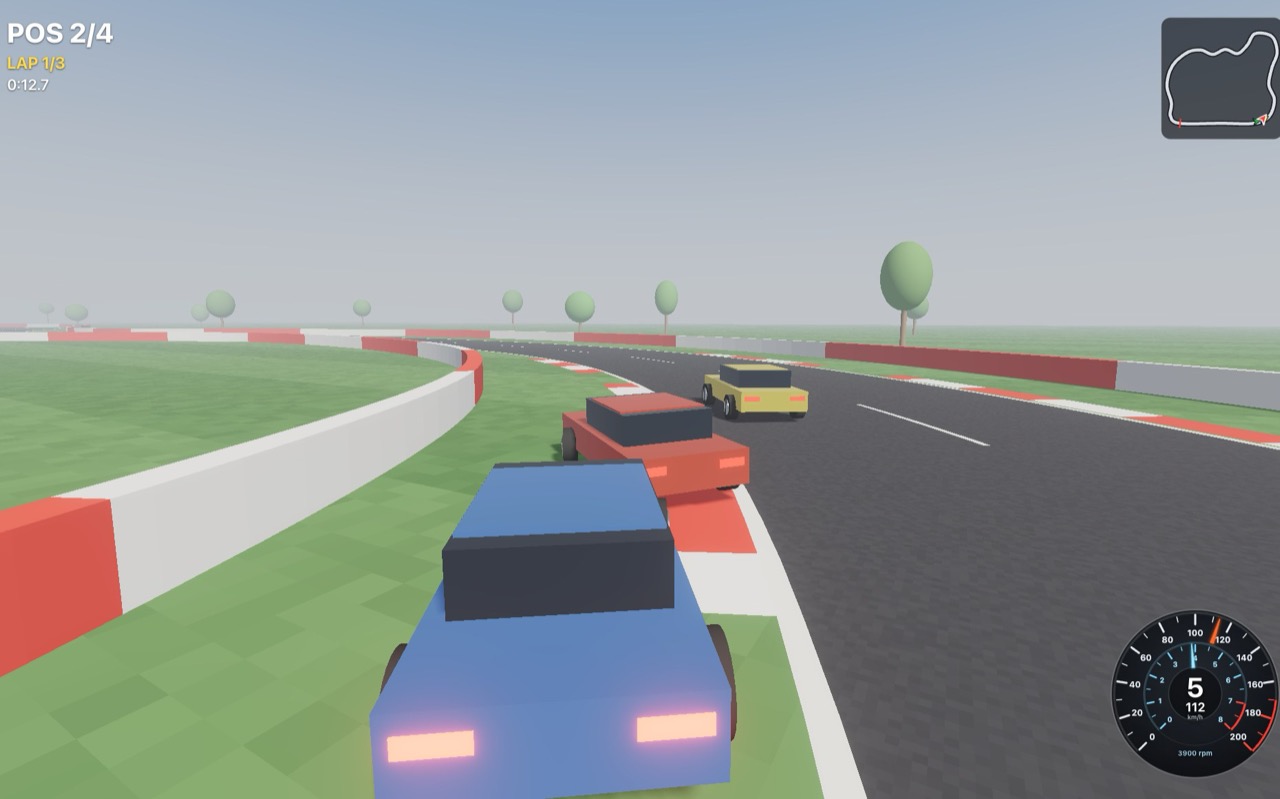
The Race Manager runs a race round its path for every car in the scene (every object with a Car Controller). One race per scene.
- A countdown (
countdownseconds) holds every car on its brakes (kit(api).hold), then GO. With no validpathit says so once in the Console and holds nobody. - A lap counts when a car crosses the path's first point going forward; crossing it backwards takes the lap off again, and a lap time counts only for a lap the car had not completed before. Put the grid just behind the first point: a car that starts past it runs an extra lap.
- Positions: finished cars by finishing time, the rest by how far round they are.
- It writes the text of UI objects named Race Pos, Race Lap, Race Time, Race Best and Race Banner (the countdown and the result): those inside its
hud(the Race HUD prefab), or, with nohudset, those of that name anywhere in the scene. With ahudeach, two races can share a scene.
The Minimap places each child named Dot <car name> over a map image by the car's position (set the map's world rectangle in its fields), turning image dots with the car. The Speedometer turns its children Speedo Needle and Rev Needle and writes Speedo Value, Speedo Unit (with R when reversing), Gear Value (N standing still, R reversing) and Rev Value; any of them can be left out. Its gauge is drawn for 0 to 200 km/h and 8000 rpm over 270°, so for another one set maxKmh, maxRpm and sweep to match. Its style is auto (the dial, turning into digits at the top centre the first time a finger touches the screen), dial or digital.
Touch Layout places a UI element for a touch screen, where the pedals take the bottom corners and a phone held sideways leaves about 340 px of height. From the first finger on the screen it moves the element to its anchor, x and y and draws it at scale of its size, with the elements inside it. The minimap has one (top left, at 60%) and so has Race Standings (top right, at 75%). Give one to any HUD element of your own that sits where the pedals go.
The sound
Car Audio plays each car's sound in 3D from the car, made while it drives (see Synths):
- The engine.
engine:synthmodels one cylinder by cylinder: each fires in its real order and sends a pulse down its bank's exhaust pipe, which rings at its own notes; the intake, the valvetrain and a diesel's knock join in, and with the throttle shut at high revs it pops.engineTypepicks the engine: inline 3, 4 or 6, V6, cross-plane V8 (the burble), race V8, flat 4 or 6, V-twin, single or diesel.recordingsuses your own loops instead: setidleSound,midSoundandhighSoundand the revs each was recorded at; it crossfades between the two either side of the revs and pitches them to match. - The gearbox. The car's physics has no gears, so the Car Controller turns its speed into revs through a gearbox of
gearsgears, whether or not it has Car Audio, and the sound and the gauge read them from it: it slips the clutch pulling away, changes up later the harder you press, cuts the throttle at each change and at theredline, and blips it changing down under braking. - The tyres. Roar rising with speed, a squeal past about 5° of slide or a metre a second of wheelspin, a buzz over kerbs and a rumble on grass, and wind.
squealSoundswaps the squeal for a recording.
The gearbox is built for the car's top speed, so a faster car's top gear is longer. A car's sound beyond hearingDistance is paused: it costs nothing until it comes back into range.
Make it your own
- Another car. Change the Race Car's body children (any meshes), keeping the four children named Wheel FL, Wheel FR, Wheel RL and Wheel RR (each placed where its wheel hangs at full droop) and the Tail Light children for the brake lights (their own glow is their colour with the brakes off). Set
wheelRadiusto the new wheels, fit the car's Collider to the new body, and set the RigidBody's centre of mass a little below the middle. Keep the car object at scale 1: the wheels are placed from their positions inside it. - Another feel. Starting points to tune from by driving: for a looser, rally-like car, softer and longer springs (
springHz1.2,suspensionTravel0.4), more grip left in a slide (slideGrip0.95) and moredriftAssist(0.8); for a kart, a lowertopSpeed(90), less lock (steerAngle25), stiff springs (springHz3) and fullantiRoll(1). - Your own track. Any colliders to drive on, with a Track Surface on the ones that are not road (kerbs, grass, gravel, ice). A Path along the middle of the road for the AI and the Race Manager; set each AI Driver's
roadHalfWidthto the road's half width, kerbs included.
Limits
- The physics has no engine torque curve or gears; the gearbox sets the revs, the gear shown and the sound, not how hard the car pulls.
- The AI follows one racing line; it does not plan overtakes or defend.
- The tyres have no temperature or wear.
- Player Driver reads the first game pad only.
See also
- Audio - 3D sound and synths, which Car Audio is built from.
- Paths - the Path component the track's line is.
- Physics debug - seeing the forces.
- RigidBody - the body the car pushes.
- Asset Store - getting the package.